
Appearance
Apps
Open Apps from the menu. Apps are additional services that enhance your shop — a way to take payment, a courier to deliver your parcels, a tool to track your sales. Apps currently offer payments, shipping, marketing and analytics services.
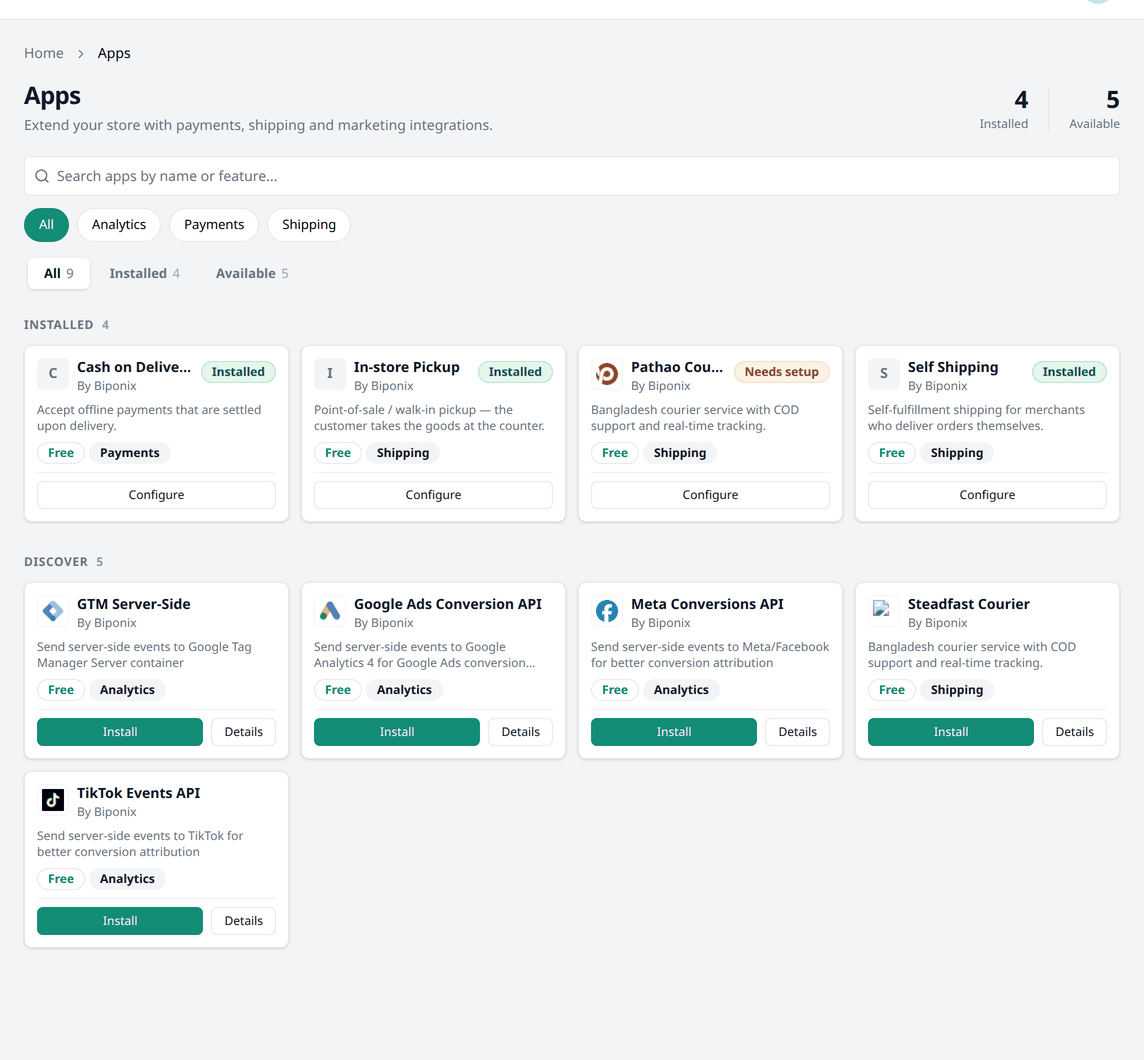
Browsing apps
Two counts at the top show how many apps you have Installed, and how many are Available.
Search for an app by its name or feature. Or you can filter them by their type — All, Analytics, Payments, Shipping. You can also filter for Installed and Available apps.
Each app shows its name, its author, a short description, and its type. An installed app also carries a badge:
- Installed — working, no action required.
- Needs setup — needs to be configured before it starts working.
- Attention needed — something in the app needs fixing before it works again.
Installing an app
Simply press Install on any app to install it. Some apps requires setup before they start working. Press Configure to open an app's setting page.
Setting an app up
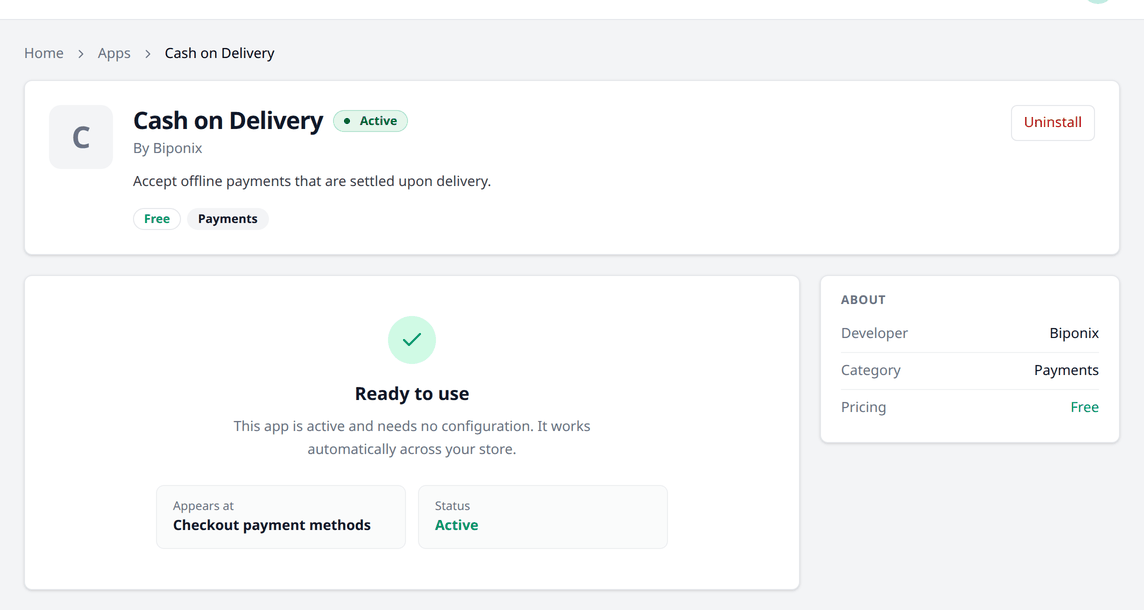
Some apps require no configuration at all. For example, Cash on Delivery and In-store Pickup work immediately after you install them.
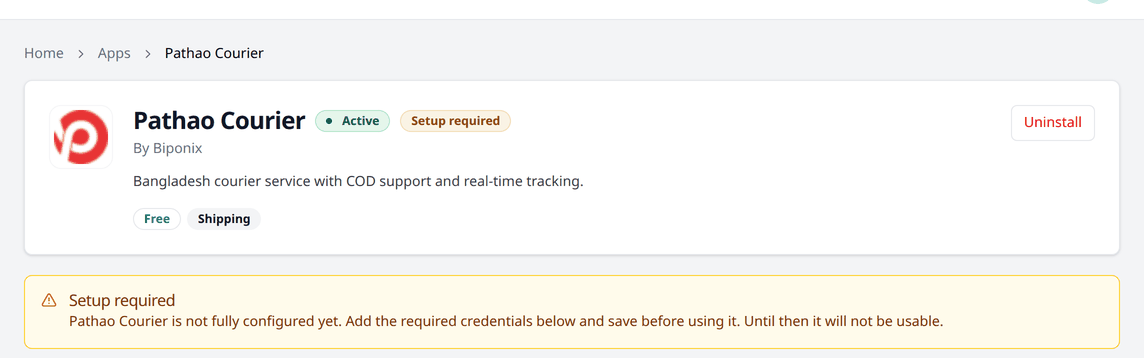
Others need to be set up first — Pathao Courier and Steadfast Courier require necessary credentials to work, for example. Until you configure them, the app page shows Setup required and it will not be used by your shop.
Uninstalling an app
Open the app's setting page and press Uninstall.
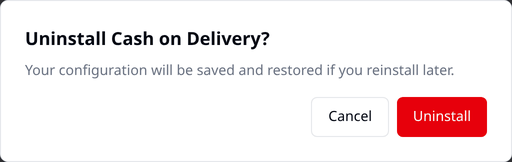
Your settings are kept when you uninstall an app. Reinstalling the app restores its settings. Existing orders and shipments already made through the app are not affected either way.
What is available today
Payments
- Cash on Delivery — your customer pays when the parcel reaches them.
Shipping
- Pathao Courier — a renowned Bangladeshi courier company for delivering parcels.
- Steadfast Courier — a renowned Bangladeshi courier company for delivering parcels.
- In-store Pickup — for customers who collect their order from your shop.
- Self Shipping — for delivering orders yourself.
Analytics
- GTM Server-Side — sends purchase events to a Google Tag Manager server container.
- Google Ads Conversion API — sends purchase events to Google, for tracking Google Ads conversions.
- Meta Conversions API — sends purchase events to Meta, for better ad tracking.
- TikTok Events API — sends purchase events to TikTok, for better ad tracking.
Marketing
- Facebook Catalog — sends your product list to Meta, to be used in Facebook and Instagram shops and ads.
Installed apps can be found elsewhere
Payment apps also appear in Settings → Payments. Shipping apps appear in Settings → Shipping & delivery. Analytics apps appear in Settings → Analytics & tracking. Each of those pages links back to Apps with its own Browse more apps button.