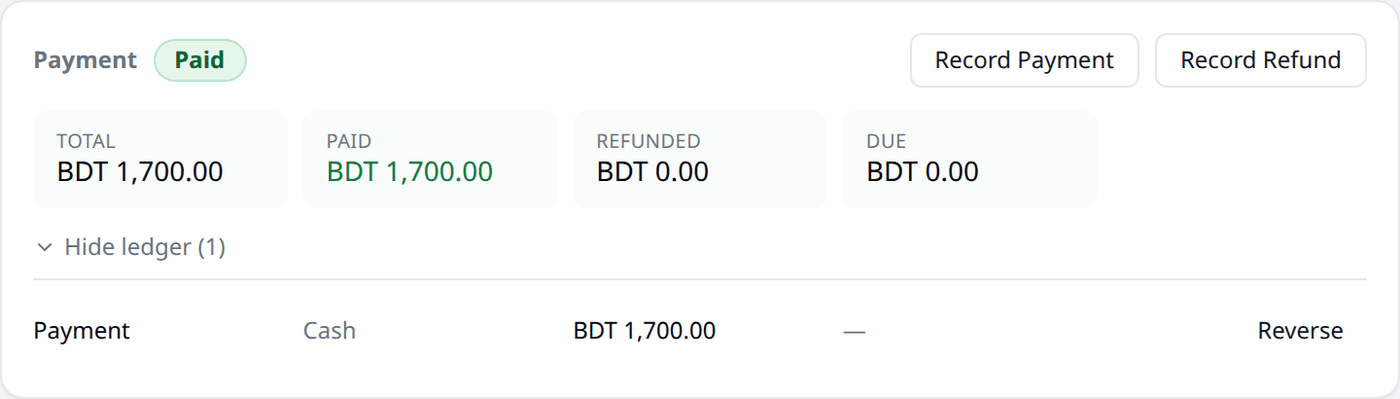
Appearance
Payment
Every order has a Payment panel, above the Shipments panel you know from Shipment.
What the panel shows
A status shows at the top — Unpaid, Partially Paid, Paid, Overpaid, Partially Refunded, or Refunded.
Four tiles sit below it:
- Total — the order's full amount.
- Paid — how much has been paid so far.
- Refunded — how much has been refunded.
- Due — how much is still owed.

Recording a payment
Press Record Payment any time a payment is made outside an online payment app, such as cash from a courier or a bank transfer.
- Amount. Starts filled in with the full amount due. Change it for a partial payment.
- Payment method. Pick from the payment methods you have added in Settings.
- Reference. Optional — a transaction ID or slip number.
- Notes. Optional — anything else worth remembering.
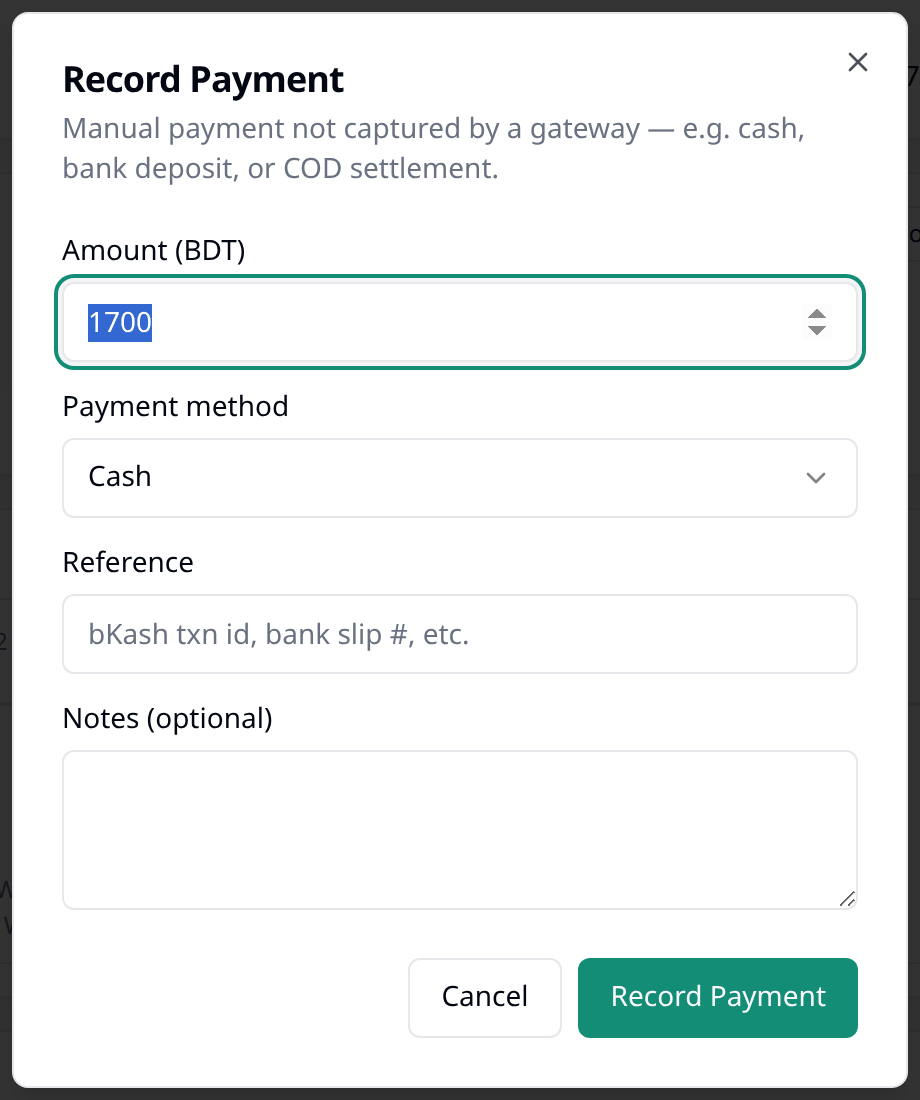
Press Record Payment to save it. The payment status updates, and the payment appears in the list below.
Recording a refund
Once a payment has been recorded, Record Refund also appears. To record a refund, fill in the amount, an optional payment method, an optional reference, and a reason. The amount cannot be more than what has actually been collected on the order.
An order can show Overpaid after it is cancelled
If an order is cancelled after a payment was already recorded against it, its status changes to Overpaid until you record a refund for what was collected. Cancelling an order does not refund it automatically.
Fixing a mistake
If a payment or refund was recorded wrong, such as the wrong amount or the wrong method, choose Reverse beside it. Biponix asks for a reason, then reverses the entry. This works only for a payment or refund you recorded yourself; a payment from a payment gateway app cannot be reversed this way, and a payment already reversed cannot be reversed again.
The record of payments
Press Show ledger to see every payment, refund, and correction recorded on the order. Each entry shows its amount, method, and reference.